Accounting · Stock · Payroll · Shop and restaurant tills
One system for your books, stock, people and tills
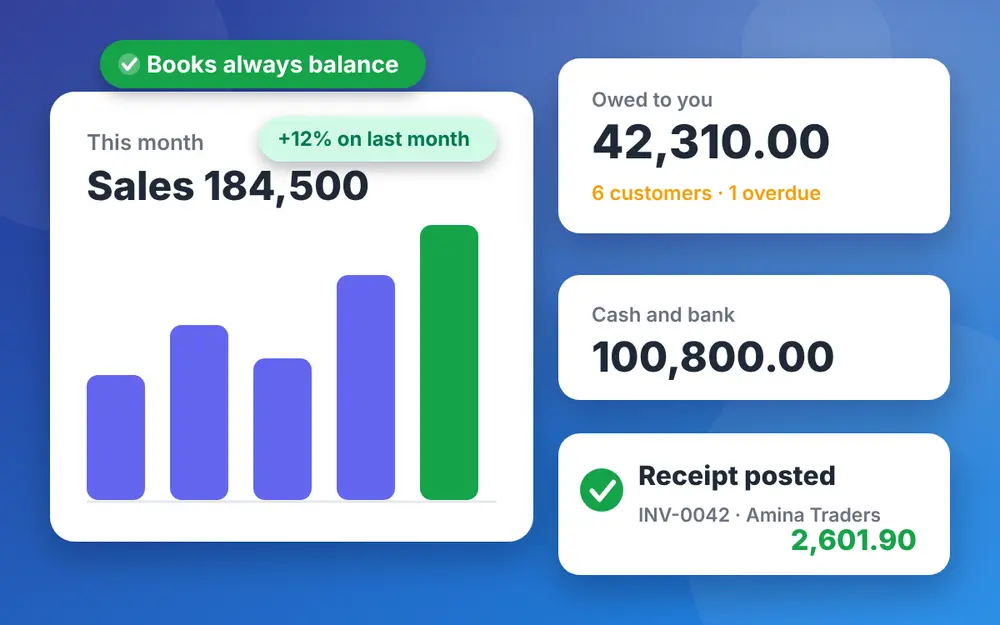
Whether you run a charity, a service business, a shop, a wholesale warehouse or a restaurant, every sale, bill and payment posts to books that always balance. Tax, currency and branches are set per business, so Kazi fits wherever you trade.
Short films with captions: Kazi Tally from start to finish, then the till at the counter and at the table.
Kazi TallyEvery feature in one tour: selling, buying, payroll, tax, reports and control.Start freeKazi RetailSell, take payment, void with a manager PIN, close the shift and post to your books.Download for WindowsKazi HospitalityFloor plan, kitchen and bar, split bills, rooms, stock and service charge in one till.Download for Windows
Kazi Tally, as it is
Screens from the app itself, captured on a demonstration business with sample data.
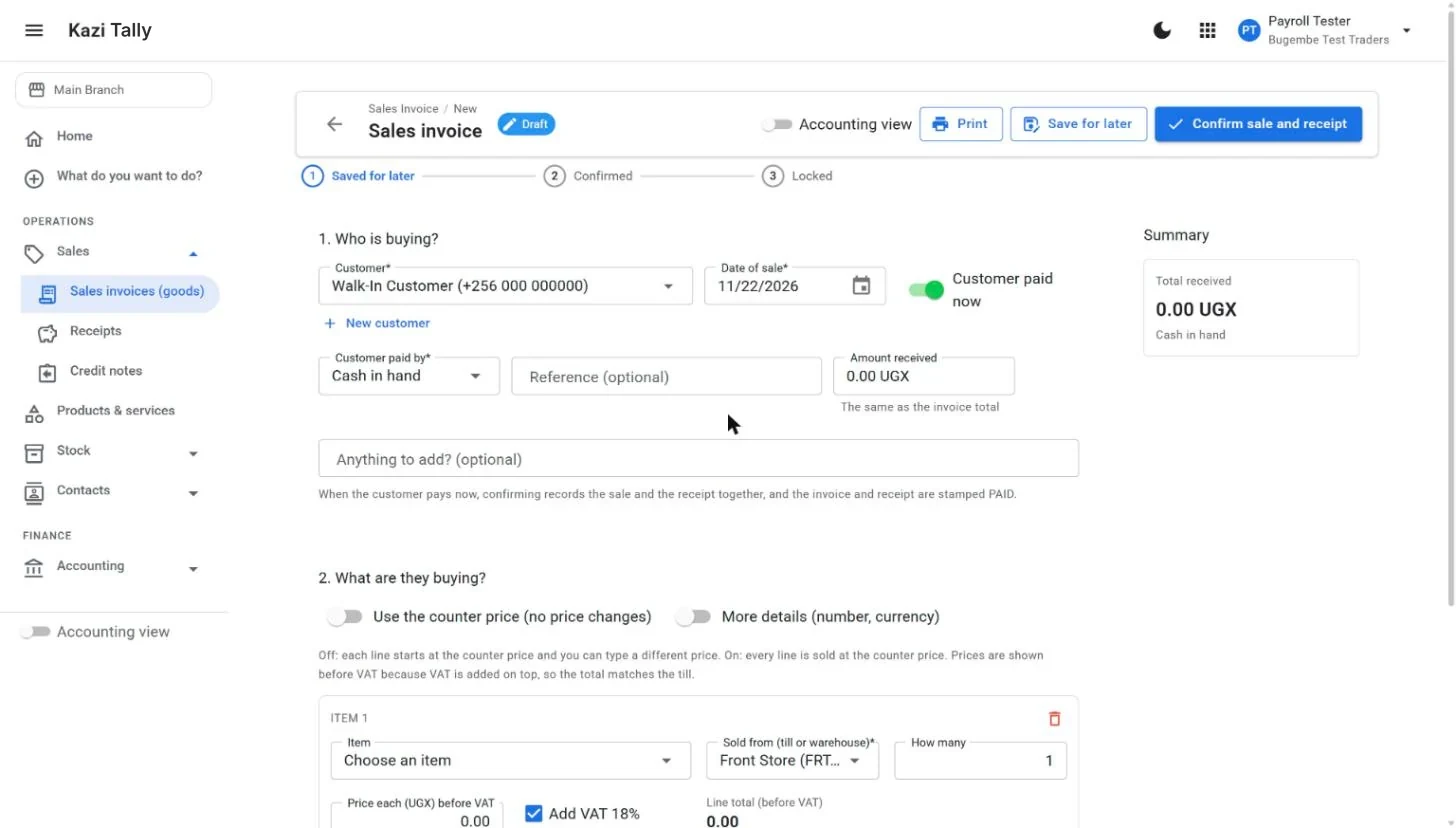
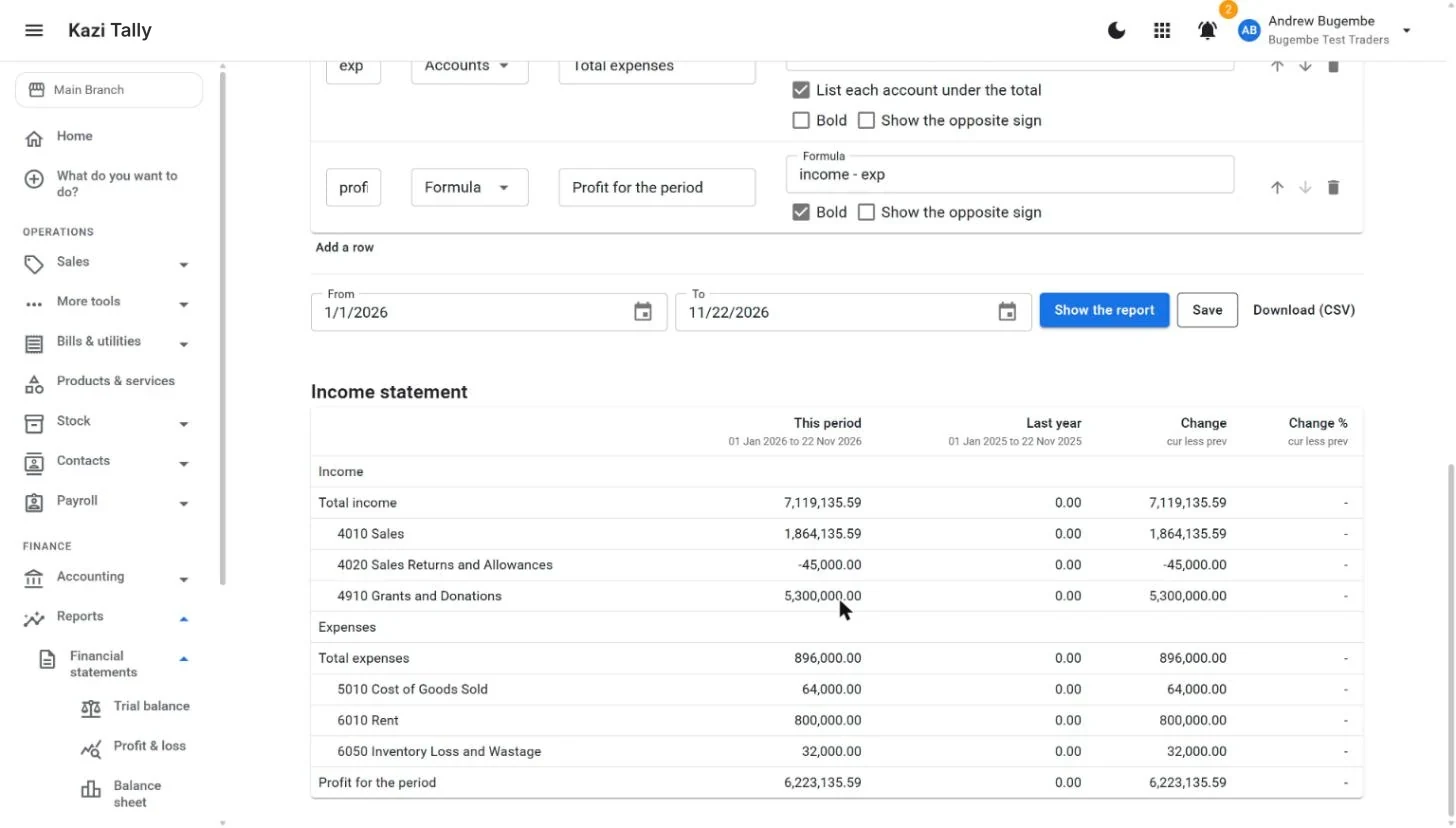
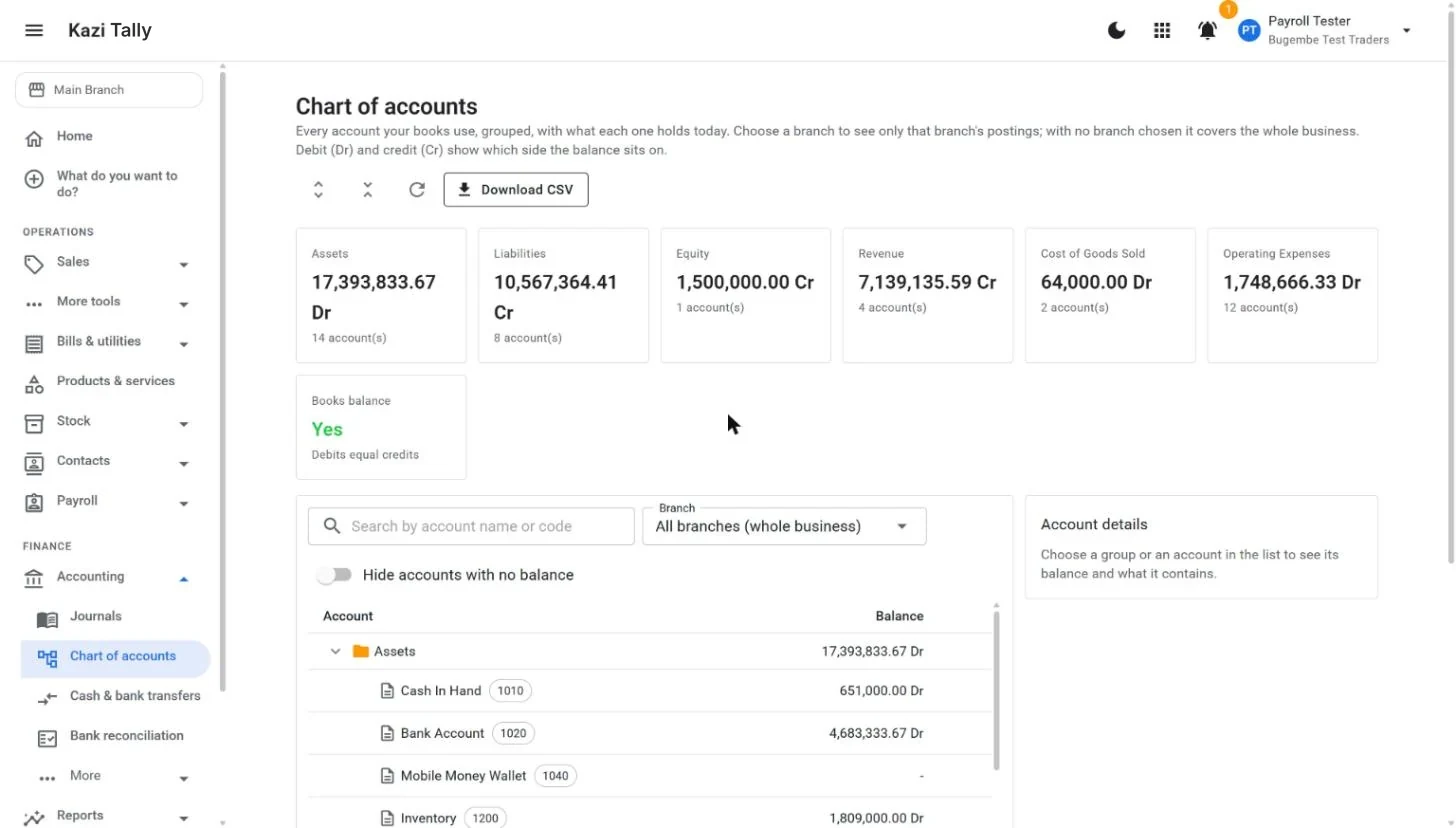
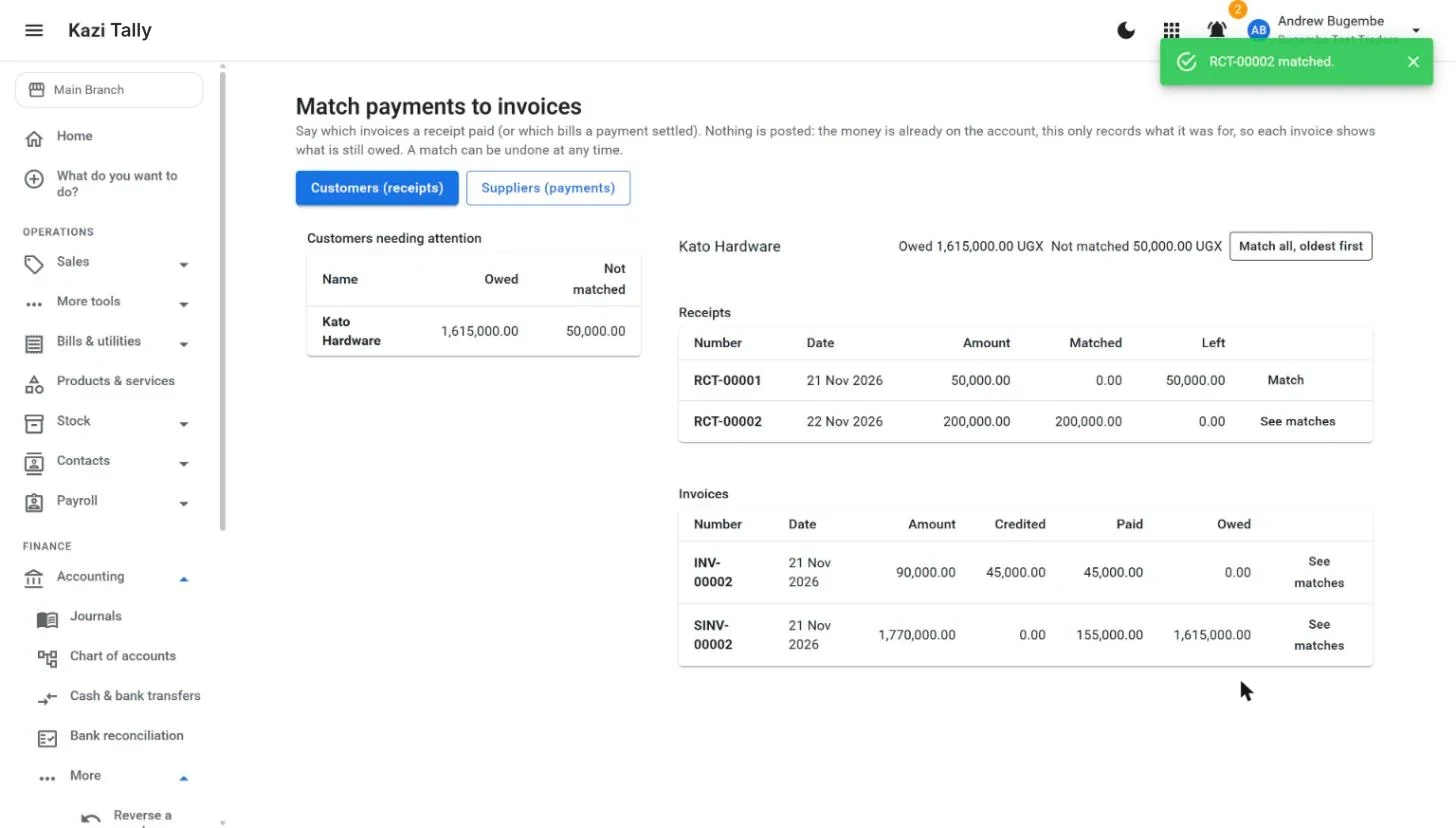
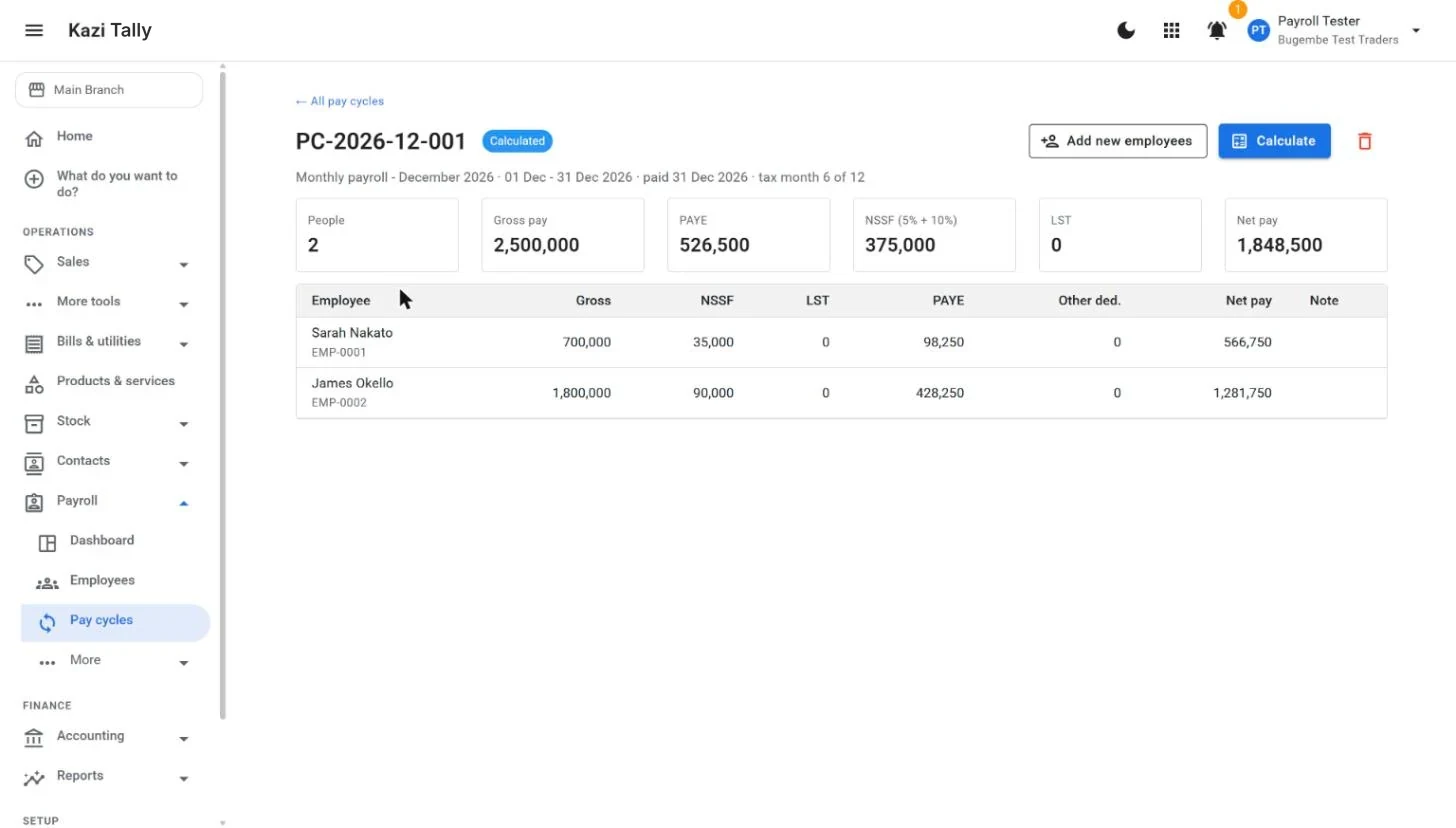
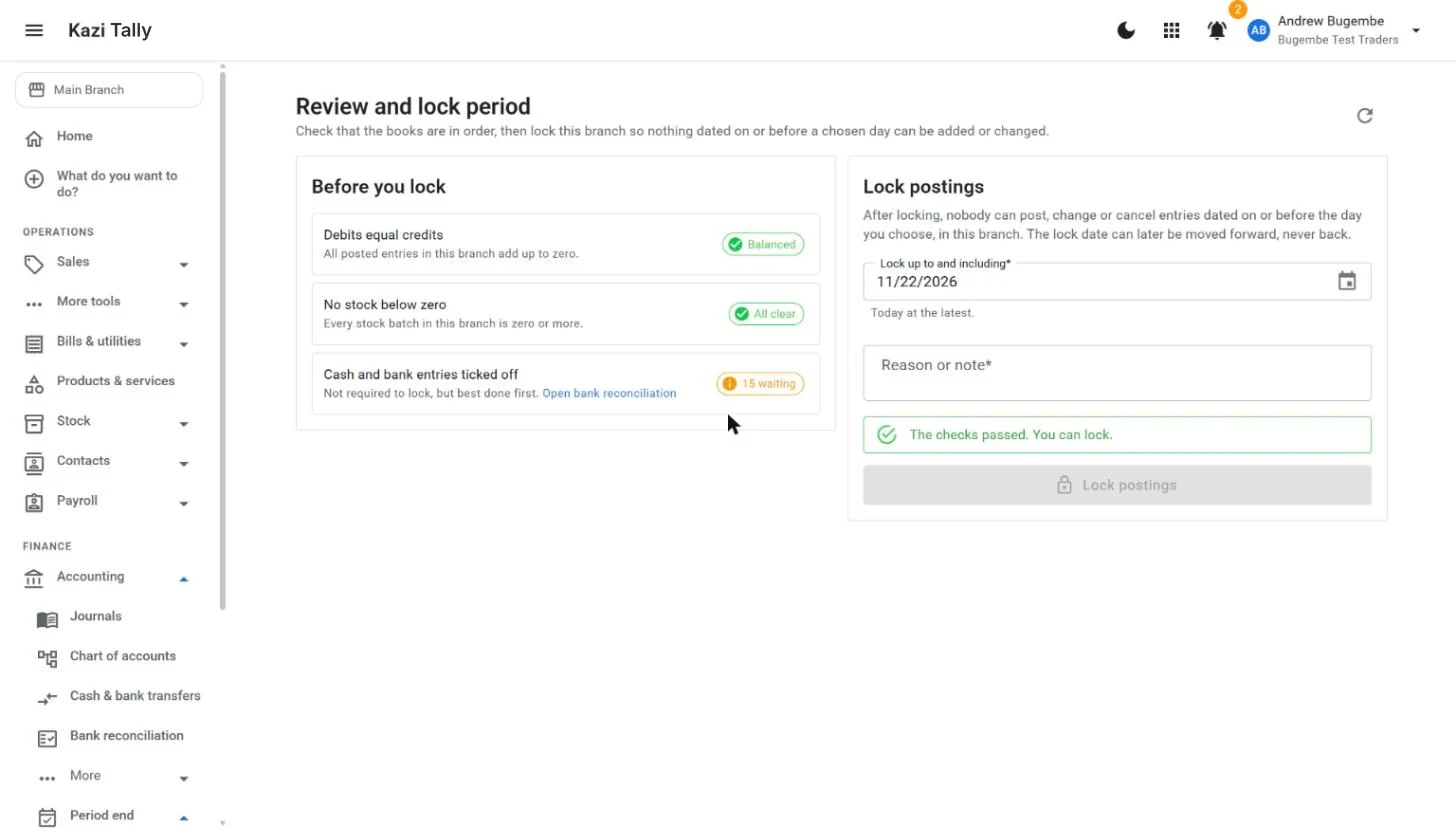
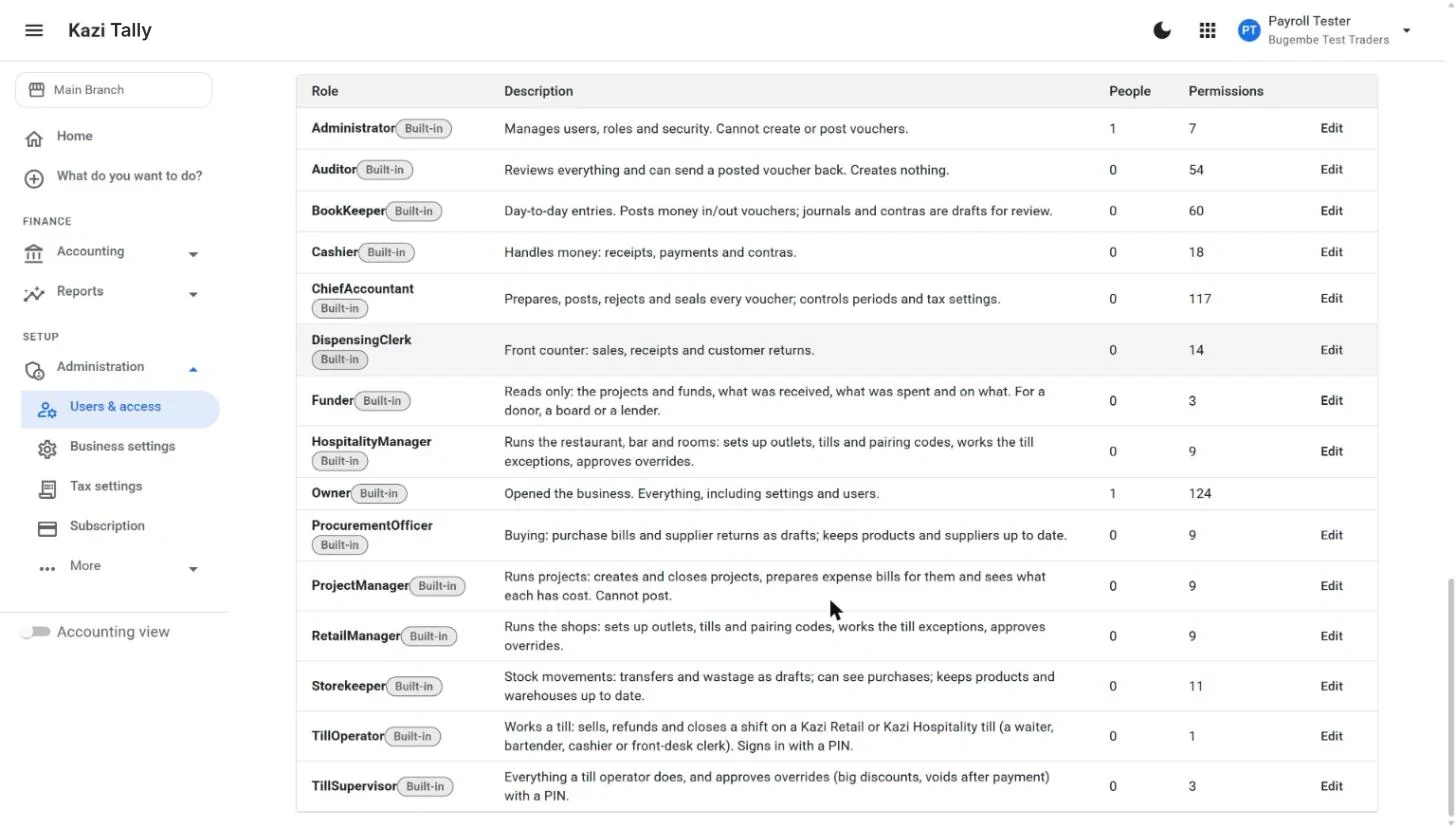
Sell in secondsPick a customer, add items, and Kazi works out the tax and posts the books.Reports you build yourselfProfit for any dates, this period against last year, from the same posted entries.Books that always balanceEvery account, its balance and a live check that debits equal credits.Match payments to invoicesTell Kazi which invoice a payment settles and see exactly what is still owed.Pay your teamPay cycles with gross pay, deductions and net pay for each person.Close the month with confidenceCheck the books are in order, then lock the period so nothing changes by accident.Everyone sees only what they shouldBuilt-in roles for accountants, cashiers, storekeepers, auditors and more.
What do you want to do?
This is the first page you see in Kazi. You start from what happened, and Kazi opens the right form. Nobody has to know accounting names.
Getting started
Enter my starting balancesWhat the business holds and owes on day one: cash, bank, loans.
Money coming in
Sell goods to a customerAn invoice for products from your stock.
Bill a customer for a serviceAn invoice for work done, with no product.
A customer paid meRecord the money and match it to their invoice.
Record money I receivedIncome with no invoice: cash, bank or mobile money.
Record a grant or donationMoney from a funder, kept against its fund.
Money going out
Record goods I boughtA supplier's bill for stock you received.
Record a bill I will pay laterRent, repairs, fuel: a supplier bill that is not stock.
Pay someone or record a costPay a supplier, pay tax or a loan, or record an expense you paid now.
Fix or undo
A customer returned goodsA credit note: the stock comes back and the customer owes less.
Cancel or reduce a service invoiceA credit note for part or all of an invoice.
I am returning goods to a supplierA debit note: the stock goes back and you owe less.
Stock
Stock was lost, spoiled or expiredWrite it off so your stock value stays true.
Move stock between placesFrom the store to the counter, or between branches.
People and products
See my customersWho buys from you, what they owe, and a statement you can send.
See my suppliersWho you buy from, what you owe them, and their statements.
Manage my sales agentsTheir customers, sales and the commission they have earned.
Add or edit what I sellProducts and services, with prices and tax.
See what is in stockHow much of each product you hold, and where.
Set up my stores and warehousesThe places your stock is kept.
Plan and grow
Track a projectSee what a project has earned and cost.
Track money from fundersKeep grants and donations against the fund they belong to.
Set a budgetPlan what you expect to earn and spend, then compare with what happened.
Record equipment and property I ownFixed assets, and how much value they lose each year.
Bill a customer every monthRecurring invoices raised for you as drafts.
See my planning at a glanceBudgets, projects, assets and recurring invoices on one page.
Pay your team
Pay my teamPrepare a pay cycle, check it, approve it and pay.
Manage my employeesAdd staff, their pay and their tax details.
File PAYE, NSSF and LSTThe returns and files to send to the tax authority and NSSF, for the deductions you use.
Enter payroll from earlier this yearBring in what you paid before you started using Kazi.
See how you are doing
Did I make a profit?Money in, money out and what you kept, for any dates.
What do I own and owe?Your balance sheet on any day.
Where is my money?Cash, bank and mobile money: what came in and went out.
Is my cash growing or shrinking?Cash flow for the period.
Who owes me money?Customers with unpaid invoices, and how late they are.
Who do I owe?Suppliers you still have to pay, and how late.
What is my stock worth?Each product, how many you hold and their value.
How much did I sell?Sales, VAT and credit notes for any dates, by day and by customer.
What happened on a day?Every entry made on one date.
Check my books add up (trial balance)For accountants: every account with debits and credits.
Build my own reportPick the figures and columns you want.
Your books
Move money between my own accountsCash to bank, bank to mobile money. No income or expense.
Make an adjustment (for accountants)A general journal for corrections and year-end entries.
Undo a mistake in a posted entryReverse it. The original stays on record and a correcting entry is added.
Match payments to invoicesTell Kazi which invoice a payment settles.
Upload my bank statementBring in what the bank shows so you can match it.
Check my bank balance matchesTick off bank lines against your records.
Look at my list of accountsThe chart of accounts: every account in your books, and add or rename them.
Close a month or yearReview the period and lock it so nothing changes by accident.
Check my tills against the booksTill exceptions and reconciliation.
See my till closesThe end-of-day totals sent from your tills.
Tax and compliance
Send my invoices to the tax authority's e-invoicing systemSee which invoices have a fiscal number and which are waiting.
Set up my taxesVAT, withholding tax and the rates Kazi uses.
Set up and control
Add a person or change what they can doInvite staff and choose their role.
Change my business detailsName, address, currency and branches.
Turn parts of Kazi on or offShow only what your business uses.
Get told when something needs attentionAlerts for low stock, late payments and more.
See who did whatThe activity log: every change, who made it and when.
See my Kazi planYour plan, seats and renewal date.
Every book your business keeps, in one place
You never copy figures from one book to another. Each is built from the same posted vouchers, so they always agree.
Sales book
Every invoice, credit note and receipt, with tax split out.
Purchase book
Every bill, payment and debit note, with stock received.
Cash and bank book
Each cash, bank and mobile money account, line by line.
Day book
Everything that happened today, in the order it happened.
General journal
Adjustments and corrections as balanced, reviewed entries.
General ledger
The chart of accounts with a trial balance that always agrees.
Customers' book
Who owes you, how long, and how much credit they may have.
Suppliers' book
Who you owe, statements and withholding tax status.
Stock book
Stock by lot and warehouse, valued to equal your books.
Fixed asset register
What you own, its cost, depreciation and book value.
Payroll register
Pay cycles, payslips and the deductions you owe.
Till takings book
Every shift close and its reconciliation to cash, mobile money and bank.
Plus budgets, projects and funds, tax settings and a full audit trail.
What is inside
Everything Kazi does, in one place.
Accounting you can trust
Every sale, bill and payment is a proper double-entry voucher. Reports are built from posted vouchers only.
Draft, post and seal: each step needs its own permission and leaves a record
VAT and withholding tax handled on every voucher, at the rates you set
Chart of accounts, journals, contra entries, fiscal periods and year-end closing
Bank reconciliation against statements
Trial balance, profit and loss, balance sheet and cash flow that always agree with each other
Inventory that matches the books
Stock is valued at the cost of the lots on your shelves, so the stock report equals the inventory account.
Products, warehouses and shop floors, with stock by lot
First-expiry-first-out selling, with lot costs kept apart
Transfers between stores and branches, and write-offs for damage or loss
Low-stock, over-stock, expiry and dead-stock alerts
Inventory valuation report that equals the inventory ledger
Customers, suppliers and sales agents
Know who owes you, who you owe and who earned what.
Each customer has their own account, statement and credit limit
Credit limits are enforced when you post: over-limit and cash-only customers are refused
Supplier accounts with statements and withholding tax status
Sales agents earn commission on the payments their customers make; returns take it back
Commission payouts recorded against what is owed, so you can never overpay
Reports and alerts
See the state of the business on one screen, and be told when something needs attention.
Day book, cash and bank book, receivable and payable ageing
Credit owed to customers and money paid to suppliers in advance shown correctly on the balance sheet
Alerts as pop-ups and on the bell, with optional email: low stock, customers nearing their credit limit, overdue invoices
Export reports to CSV
Kazi Retail till
A Windows till for your shops that keeps selling when the internet drops.
Each shift close posts one voucher: sales, VAT, takings, cash over or short and stock out
Closes that do not add up wait in an exceptions list instead of being posted wrongly
Till reconciliation against cash, mobile money and bank statements
Tills and devices do not count as users
Payroll
Run staff pay with the deductions you switch on: income tax (PAYE), social security and local levies, set per business.
Pay cycles, payslips and statutory deductions
Settlements and exports for your records
People, permissions and security
Give everyone the access they need and nothing more.
Built-in roles such as Chief Accountant, Bookkeeper, Cashier, Storekeeper and Auditor, and your own
Separation of duties: the person who administers users cannot post vouchers
Two-step sign-in, password rules and automatic sign-out
Every business is sealed from every other: your records are never visible to another business
Audit trail of sign-ins and a voucher history of who did what and when
Built so the first ten minutes go well
Start with what you want to do
"What do you want to do?" lists plain tasks: sell, get paid, buy, pay. Accounting terms are a switch away when your accountant wants them.
Numbers that cannot drift
Every sale, bill and payment is a balanced voucher. The reports, stock value and customer balances are built from the same entries.
Works on a phone
Kazi Tally opens in any browser, on a phone or a computer, so your team can start with the device they already have.
Fits your country and currency
Pick your currency and tax rules once. VAT or sales tax and withholding tax apply at the rates you set, and you can keep several branches.
Use only what you need
Every module and every payroll deduction is optional. Switch on the ones your organisation uses and hide the rest.
Shop and restaurant tills
Kazi Retail and Kazi Hospitality are Windows tills that keep selling when the internet drops. Each shift posts to your books. Till apps are quoted for your business: tell us how many tills you need.
Kazi Retail and Kazi Hospitality tills and devices do not count as users
Your records stay yours and can always be viewed, even after the trial or a lapse (read only)
Already have data in another system or spreadsheets?
We can migrate it into Kazi for you, at a price we agree together. Talk to us.
Prices are per month, shown in US dollars; choose your currency above to see the local equivalent. Local amounts are approximate and the exact amount is confirmed before you pay. Payment by mobile money or bank transfer where available.